
MOUNTING & MOBILITY
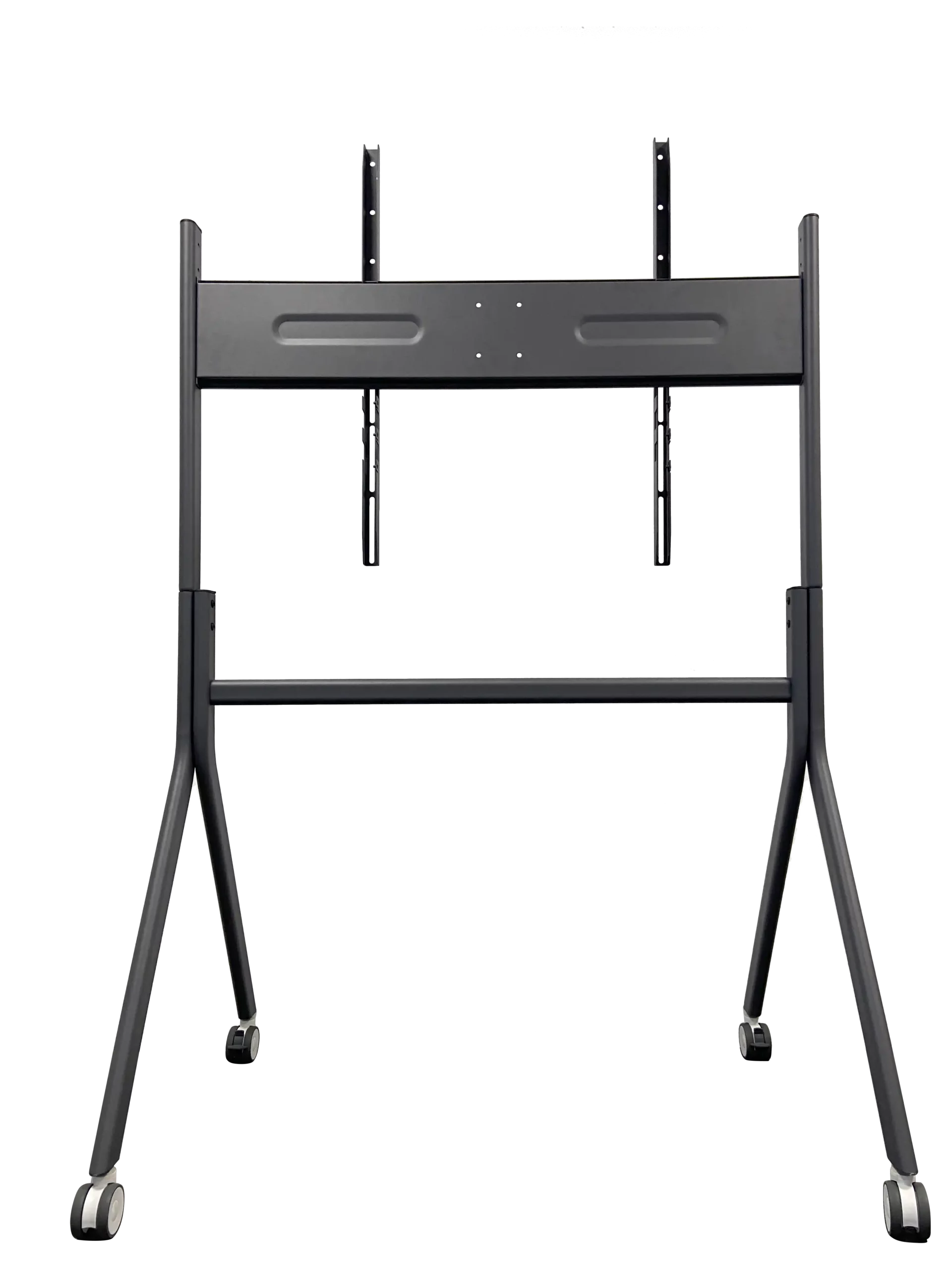
Mobile Stand for Interactive Flat Panels
Move the display where the work happens. A practical mobile display stand for meeting rooms, training spaces, classrooms and shared areas.
Use one interactive flat panel in more places, without fixing it to one wall.
STRAIGHTFORWARD DEPLOYMENT
Set up without slowing down the project
The stand is designed for straightforward installation. It helps project teams prepare a display for use without making a simple room deployment more complicated than it needs to be.
FLEXIBLE ROOM USE
Move the display, not the whole plan
Room use changes during the day. A display may be needed for training in the morning, a meeting in the afternoon, then a presentation or demonstration later on.
The stand moves smoothly between spaces, giving one interactive display more ways to be used.
BEFORE ORDERING
Confirm the stand around the display and project
Compatibility depends on the selected display and mounting requirements. Do not publish unverified load, VESA or size claims.
Screen Size
Share the display model and screen size so the compatible stand configuration can be checked.
Mounting Requirement
Confirm the required mounting pattern and planned installation arrangement before ordering.
Movement Route and Quantity
Explain where the display will move, how it will be used and the project quantity.
COMPATIBILITY SUPPORT
Support more display projects
Before ordering, share the screen size and mounting requirement. Moliter can help confirm a compatible stand configuration for the project.
Information to confirm
Screen size
Required for the stand range check
Mounting pattern
To be confirmed for the selected display
Maximum display weight
To be confirmed for the selected configuration
PACKAGING DISCUSSION
Make better use of shipment space
For distributors and volume projects, loading information can be provided for confirmed projects based on the stand model, order quantity and shipping method.
Plan storage and loading with the actual carton
Use confirmed model and quantity information when planning storage, container loading or local delivery.
Request loading information before delivery
Confirm the stand model, order quantity and shipping method first. Do not use illustrative shipping figures as a published claim.
APPLICATION SETTINGS
Where a mobile stand makes sense
One interactive display can serve several spaces where use changes during the day.
Training Rooms
Move the display between training groups or rooms as schedules change.
Meeting Rooms
Bring an interactive display into rooms that do not need a permanent wall installation.
Classrooms
Use the same display across different teaching spaces when room use is flexible.
Showrooms
Position the display where visitors need to see a product, presentation or live demo.
FREQUENTLY ASKED QUESTIONS
Confirm the stand before delivery
If a mobile stand is rated for 65- to 86-inch interactive displays, will it fit every screen in that size range?
No. Screen size alone is not enough. Before ordering, check the display weight, VESA mounting pattern, screw requirements, bracket clearance and the complete installed equipment configuration.
How should a mobile stand be checked when it carries an interactive display, camera and computer tray together?
List every accessory, mounting position and cable route in the configuration sheet, then verify that the stand supports the complete combination. Do not rely only on a total-weight figure. Sample acceptance should use the final installed equipment, not a bare display.
Which mobile stand can reduce the number of SKUs when we stock interactive displays from several brands?
Provide the weight, VESA pattern, screw requirements and other mounting details for each display brand and model. We can then identify the compatible overlap and recommend a stand configuration that reduces inventory SKUs.
How should buyers check corridors, lifts and doorways before moving an interactive display between classrooms or meeting rooms?
Check the installed overall height, width and base dimensions against doors, lifts, turning points and parking space. Include thresholds and floor conditions. Move a complete sample along the actual route before confirming the deployment method.
How should distributors compare shipping and installation costs for knock-down versus pre-assembled mobile stands?
Compare carton volume, loading quantity, transport protection and on-site assembly time. Container quantities must be calculated from the actual package dimensions and loading plan. Contact us for packing details for the required configuration.
Do first-time installers need special tools, and how can missing or incorrectly fitted screws be avoided?
No specialist tools are required. We provide organized fasteners, assembly instructions and the tools required for standard installation.
Can a camera shelf, computer tray and cable management be added while keeping the standard packaging?
It depends on the dimensions and design of the camera shelf, computer tray and cable-management parts. Contact us to confirm available accessories, compatible models, packaging changes and cost.
Can bulk mobile stands use our brand and packaging without affecting repeat orders or spare-part compatibility?
Yes, subject to minimum quantity requirements. Custom branding and packaging generally do not affect repeat-order or spare-part compatibility when the underlying stand model remains unchanged.
Can lost or damaged casters, hooks and fasteners for a mobile stand be ordered separately?
Yes. Casters, hooks and fasteners can be supplied separately. Provide the part number or stand model so we can identify the correct available spare part.
PROJECT CONFIRMATION
Confirm the stand before delivery
Send us the display model, screen size, planned room use, movement route and project quantity. We will help you confirm a compatible mobile stand configuration for your project.
✓ screen size
✓ Mounting requirement
✓ Room use and movement route
✓ Project quantity and shipping method